Trust Centre
Show buyers your security before they ask.
Stop gathering evidence every time a buyer asks about security. Your Trust Centre shares your frameworks, certificates and reports in one place, and you decide who sees what.
Logotrust.yourcompany.com
LiveFrameworks
ISO 27001 · CertifiedSOC 2 · In progressGDPR
Controls
✓Encryption at restMonitored
✓MFA enforcedMonitored
✓Access reviewsMonitored
✓Every change reviewedMonitored
Documents
Security overviewPublic
ISO 27001 certificatePublic
SOC 2 reportRequest access
PoliciesRequest access
How it works
You decide what buyers see.
Set it up once in Keldyn. Buyers get one link, and private documents only go to the people you approve.
Step 1
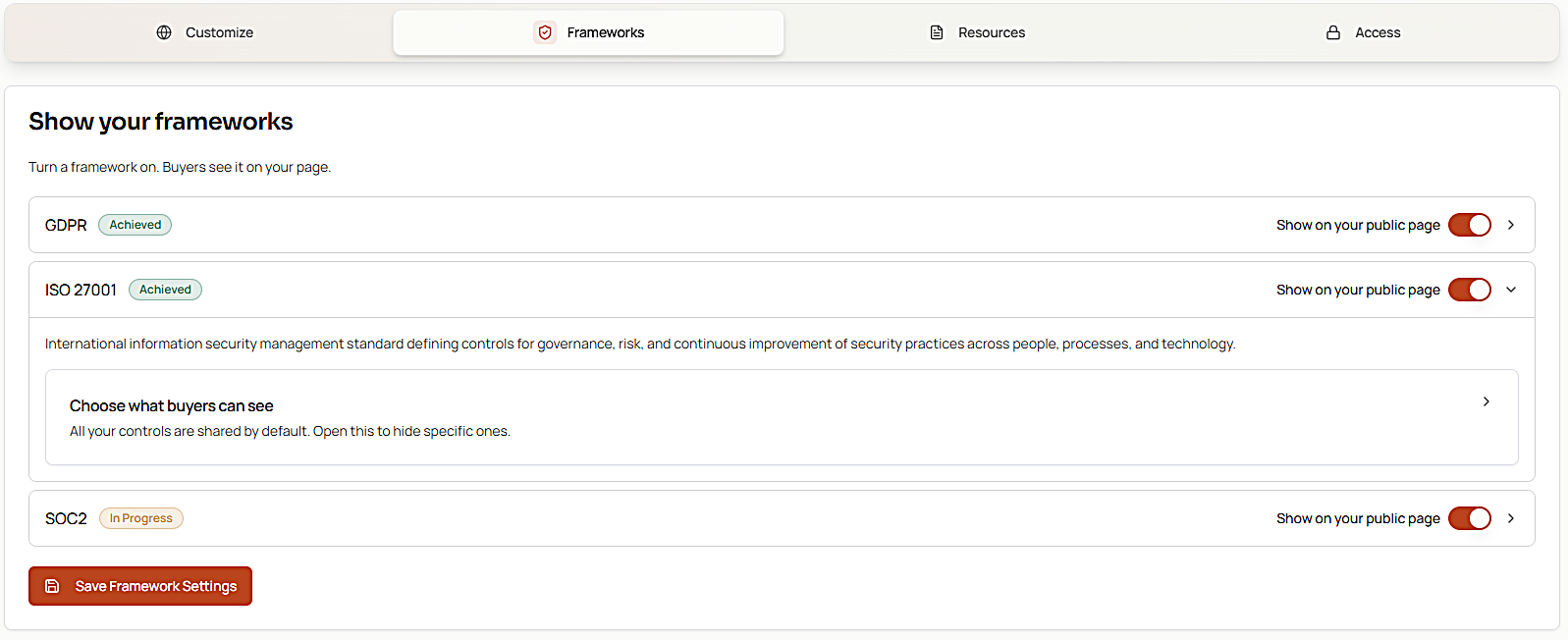
Choose what to share
Turn each framework on for your public page. Every control is shared by default, and you can hide any you want to keep private.
Step 2
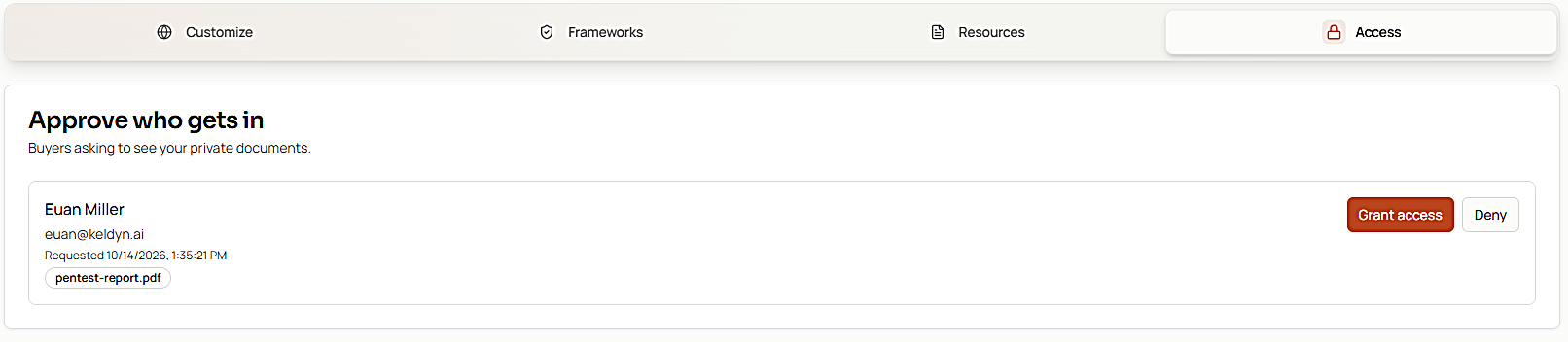
Approve who gets in
Buyers ask for your private documents, such as a pentest report. You grant or deny access in one click.
Step 3
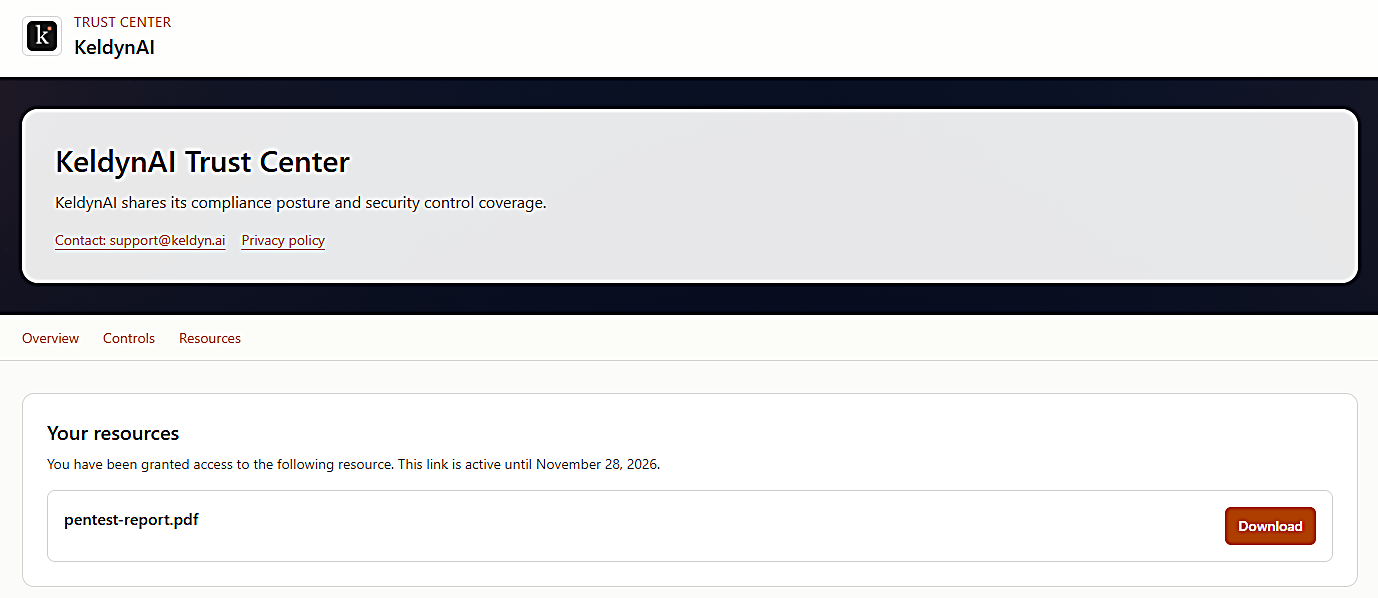
Your buyer sees it on your subdomain
One link with your frameworks, controls and documents. Private files unlock once you approve the request.
What you get
One link for every security review.
Share the result of the work
Your ISO 27001 certificate or SOC 2 report, in front of buyers the day you get it.
Show what you are working towards
Frameworks in progress show buyers you are serious before the audit closes.
One link for questionnaires
Point security reviews to one place instead of a folder of attachments.
No extra upkeep
Built from the policies, evidence and audits already in Keldyn.